Crossword Daily: Word Puzzle
PocketStarWord
4.11.11K Reviews
- Version
- 1.11.52
- Installs
- 100.00K
- Age Rating
- Everyone
Screenshots
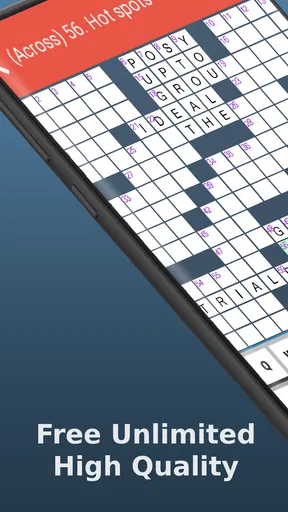
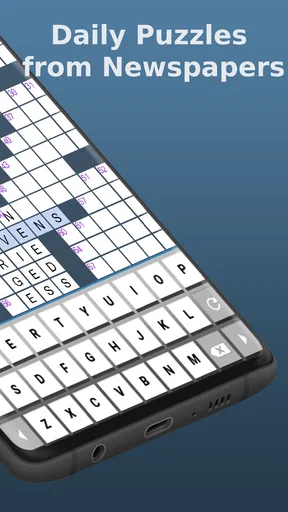
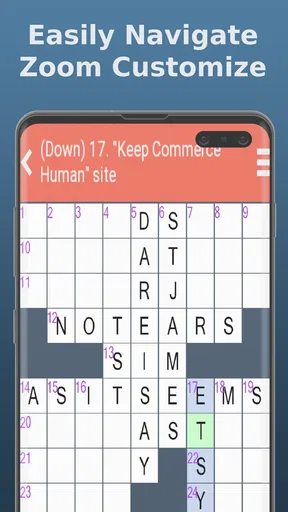
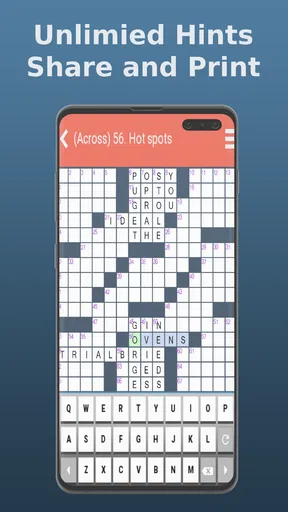
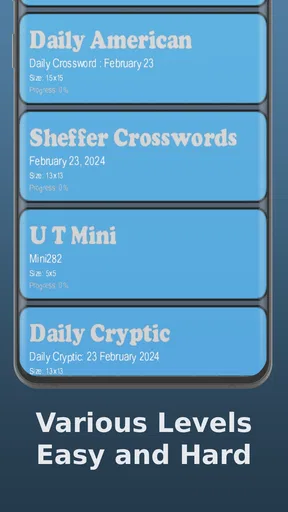
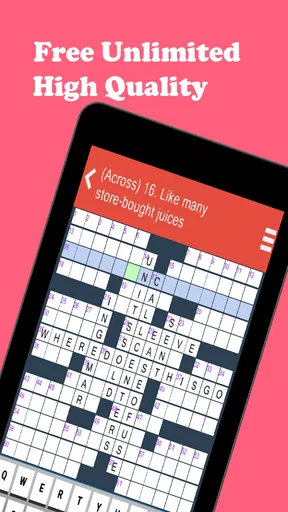
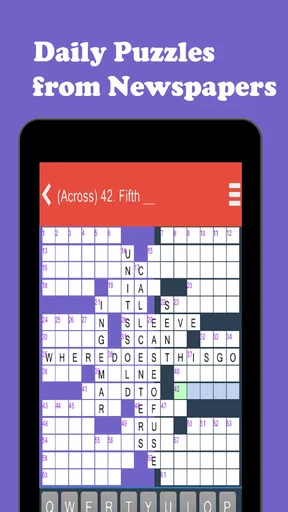
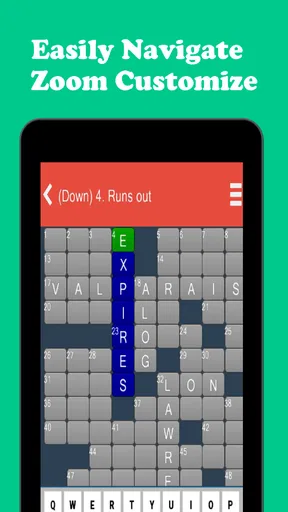
Our Review of Crossword Daily: Word Puzzle
 Analysis by Appyee
When I want a quiet word game that can fit into a spare moment, Crossword Daily: Word Puzzle is the kind of app I reach for. It is a crossword game from PocketStar, built around a collection of puzzles presented for regular daily play rather than a single long campaign. I found that focus useful in a household where people often share a tablet or pass a phone around: one person can solve a few clues, put it down, and someone else can continue later without needing a complicated setup.
The game is free to download and aimed at Everyone, which makes it easy to consider for a shared device. Its average rating is 4.1 from around 4.4 thousand ratings, and it has passed 100 thousand installs. Those figures suggest a healthy audience, but they do not replace personal testing. Crossword difficulty, clue style, and tolerance for repetition vary a lot, so the important question is whether this particular format suits the way you and your household like to play.
How Crossword Daily works in a shared household
The most natural use case is a short session during ordinary downtime. I can imagine opening it with breakfast, solving several answers while waiting for coffee, and leaving the device available for another person. Later, a partner or older child can look at the same puzzle and try a different group of clues. That makes it feel less like a private competitive game and more like a small puzzle left on the kitchen table.
That shared-device quality is one of its practical strengths. Crosswords do not require fast reactions, headphones, or a large uninterrupted block of time. A player can think through an answer, pause, and return when the household is quieter. It also works well when people have different skill levels: one person may handle short familiar words, while another is better at longer clues or wordplay.
There is a trade-off, though. A shared puzzle can lose some of its value if one player fills in the answers too quickly. If the goal is to solve independently, passing around one device may create accidental spoilers. I would suggest agreeing on a simple household rule before starting: either treat the puzzle as a cooperative activity, or let each person have a turn without looking at the unfinished grid afterward.
That small agreement matters more here than any formal family feature would. The game is useful for shared play because of the nature of crosswords, not because it should be treated as a multi-user platform. I would not assume that different people can maintain separate progress spaces on one device. If separate records are important, each regular player is better off using their own device and keeping the arrangement simple.
What the first session feels like
My first impression is that the appeal comes from the steady rhythm of reading a clue, entering a possible answer, and using crossing letters to confirm or reject it. That loop is more satisfying than a basic word-search game because every answer affects the surrounding grid. A clue that seems vague at first can become obvious once two or three crossing letters are in place.
For a household, I would start with a cooperative approach rather than turning the first session into a test of vocabulary. Let one person read the clues aloud, let another suggest answers, and use the grid to settle disagreements. This makes the game accessible to someone who is less confident with crosswords while still giving an experienced solver a useful role.
A practical tip is to avoid entering a guess simply because it fits the number of squares. I found that an early wrong answer can make several nearby clues look impossible. In a shared session, it is better to mark the idea mentally, work on a crossing clue, and return when the letters provide stronger evidence. That habit reduces frustration and teaches newer players how crossword logic actually works.
Setup, devices, and personal boundaries
Crossword Daily runs on Android devices using at least version 6.0. The current version is 1.11.52, so it is compatible with a broad range of phones and tablets that are still in everyday use. For a household, that matters because a shared tablet may not be the newest device in the home. I would still check that the screen is comfortable for reading clues and entering letters, since a small phone can make a longer solving session feel cramped.
Because the game is free, there is little financial barrier to trying it. The app does include in-app purchases ranging from $9.99 to $39.99 per item. That is the point where household boundaries become important. Before handing the device to a child or guest, I would make sure the device’s purchase protections are already configured and that the person using it understands that free installation does not mean every optional item is free.
I would not describe the purchase range as a reason to avoid the game, but it is a reason to treat a shared device differently from a personal one. On my own phone, I can make a deliberate decision about whether an optional purchase is worthwhile. On a family tablet, the same screen may be used by someone who does not know the difference between an ordinary game action and a paid option. That is a household-management issue rather than a crossword issue, but it affects whether the app feels comfortable to share.
The safest workflow is straightforward: the adult who manages the device should install the game, explain what is available without payment, and keep purchasing decisions with that person. I would also avoid presenting paid content as a shortcut that everyone is expected to use. The basic enjoyment of a crossword comes from solving it, so a household can get more value by treating assistance as optional rather than necessary.
Coordinating progress without making it complicated
Crossword Daily is easiest to coordinate when everyone agrees on what “finished” means. In a cooperative household, the answer may be completing one puzzle together over several short sessions. In a more independent arrangement, each person may simply use the app at different times and avoid touching another person’s active grid. Neither approach needs a formal schedule.
I like the idea of using a visible routine instead of trying to turn the game into a competition. For example, one person can tackle the clues before work, another can take a turn after dinner, and the household can compare the trickiest clue rather than compare speed. This keeps the conversation about reasoning and vocabulary, which is more welcoming for players who are still learning crossword conventions.
One useful technique is to leave a difficult clue alone until the crossing answers have developed. In a shared session, that creates a natural handoff: the first player can solve the clues they know, and the next player can use those letters to approach the harder ones. It also prevents one person from dominating the entire grid. The puzzle becomes a relay rather than a race.
Another good boundary is to decide whether hints or assistance are acceptable before anyone starts. If one player wants a pure solving challenge and another prefers help when stuck, disagreements can arise when both use the same puzzle. I would keep the first attempt independent, then allow assistance on a later pass if the household wants a more relaxed experience. That preserves the satisfaction of discovery without making a difficult clue a source of tension.
The game is less suitable for households that need detailed individual tracking. If your main goal is to compare personal streaks, maintain separate histories, or organize a formal family tournament, a crossword service designed around accounts and profiles may fit better. This app’s appeal is its directness: open it, choose a puzzle, and start thinking. That simplicity is convenient, but it also means I would not build a complicated family system around it.
Age, trust, and the right kind of supervision
The Everyone content rating makes the game broadly approachable, especially compared with action games that depend on competition or intense themes. For a child who enjoys spelling and wordplay, it can be a calm way to spend a few minutes with an adult. I would use it as a conversation starter rather than as an unattended educational tool. A crossword can expose a young player to unfamiliar words, but clue interpretation still benefits from explanation.
Age suitability is not the same as identical difficulty. A game can be appropriate for everyone while still being too challenging for a younger child to enjoy alone. I would begin by solving alongside the child, explaining why a clue might have more than one possible answer and showing how the crossing letters narrow the choice. That turns mistakes into part of the activity instead of making the child feel that a low success rate means they are not good at words.
Trust also matters when the device is shared. I would not let a child make purchase decisions simply because the game itself is suitable for their age. The free price makes the initial download easy, while the available in-app purchases mean adults should keep the financial boundary clear. A short explanation is usually enough: solving is free to try, but anything that asks for payment needs permission.
For older relatives, the game can be a pleasant alternative to fast-paced mobile entertainment. The grid gives them time to think, and a shared tablet can make the clues easier to see than a newspaper page. Still, the experience depends on legibility and patience. If the screen is small or the interface feels cramped, a larger device is likely the better choice. I would not recommend forcing a shared-phone arrangement on someone who finds the text uncomfortable.
Compared with a printed crossword, the app is more convenient because it is always available on the device and does not require a pen. Compared with a general word game, it offers more structure and a stronger sense of deduction. The paper alternative may be better for someone who enjoys writing directly on a page, keeping completed puzzles, or avoiding screens. A dedicated crossword service may be better for a serious solver who wants extensive archives, advanced statistics, or carefully separated personal accounts.
Where the game earns its place
The strongest reason I would recommend Crossword Daily is its low-friction routine. It does not ask me to learn a complex system before I can enjoy a puzzle. The daily format gives the app a natural stopping point, which is helpful in a household where screen time needs to remain contained. I can play for a short while without feeling that I have abandoned a large campaign or fallen behind in a multiplayer event.
The variety of crossword sources also gives the experience more range than solving one fixed style forever. Different papers can bring different clue habits and levels of familiarity, so I would pay attention to which puzzles suit the people using the device. If one member of the household prefers straightforward definitions and another enjoys more indirect clues, rotating between available puzzles can keep the shared routine fairer.
Its limitations become clearer during longer sessions. Crossword solving can feel repetitive if you want constant visual change, story progression, or a strong sense of achievement beyond completing a grid. The game is also not the best match for someone who dislikes clues with multiple interpretations. When I am tired, a difficult clue can feel less relaxing than a simple matching or spelling game.
I would also be cautious about judging the app solely by its rating of 4.1. That average is respectable, but it reflects many different expectations. Someone looking for a quick daily crossword may be very happy, while someone expecting a deep personal archive or an elaborate learning system may find the experience limited. The right question is not whether it replaces every other word game; it is whether a straightforward crossword routine is what you want.
My household verdict
After using it as a word game rather than treating it like a full family platform, I see Crossword Daily as a good fit for homes that want a calm, shareable puzzle activity. It works especially well when people are willing to take turns, discuss clues, and accept that one person may know an answer another person has never encountered. The Everyone rating supports broad use, while the free entry point makes testing it easy.
I would recommend it to a household with a shared tablet, a parent and child who enjoy solving together, or adults who want a small daily mental break. I would skip it if your priority is separate user profiles, detailed progress management, competitive rankings, or a large collection of advanced crossword tools. In those cases, a more specialized alternative will probably serve you better than trying to adapt this simple format.
The most important practical advice is to establish two boundaries before sharing it: decide who controls purchases, and decide whether a puzzle is cooperative or personal. Once those expectations are clear, the app’s uncomplicated design becomes an advantage. You can pick it up during a quiet moment, hand it to someone else without much explanation, and return to the clues later.
For me, that makes PocketStar’s game worth trying. It is not a complete replacement for paper crosswords or specialist crossword subscriptions, but it offers an approachable middle ground: familiar wordplay, regular puzzles, and a format that can fit naturally into household life. If your home values short, thoughtful sessions over elaborate features, this is a sensible free crossword companion.
Verdict
Strengths of Crossword Daily: Word Puzzle
- Fresh daily crossword gives you a consistent reason to return.
- Hints help you progress when a clue leaves you completely stuck.
- Clean interface keeps the board easy to read on smaller screens.
- Short puzzles fit well into commutes or quick daily breaks.
- Solving can help reinforce spelling and general vocabulary skills.
Limitations of Crossword Daily: Word Puzzle
- A daily puzzle limit may feel restrictive for frequent crossword players.
- Some clues can depend heavily on cultural or regional knowledge.
- Difficulty may vary noticeably from one puzzle to the next.
- Mistakes can be frustrating if the game offers limited correction guidance.
- Offline availability may be limited, depending on the app version.
Similar Picks in This Category
View All
Word Search - Word Puzzle Game
Bluetile4.8

Word Search Quest - Puzzles
Blackout Lab4.8

CodyCross: Crossword Puzzles
Fanatee, Inc.4.7

Words of Wonders: Crossword
Fugo Games4.9

Wordscapes: Word puzzle game
PeopleFun4.7

Word Search Explorer
PlaySimple Games4.9
Frequently Asked Questions
What is Crossword Daily: Word Puzzle?
Crossword Daily: Word Puzzle is a casual word game built around solving crossword-style puzzles on a regular basis. Players read clues, enter answers, and use their vocabulary and general knowledge to complete each grid. It is designed for short play sessions, making it suitable for daily entertainment, relaxing breaks, or anyone who enjoys traditional crossword challenges in a mobile format.
Is Crossword Daily: Word Puzzle free to download and play?
The game can generally be downloaded at no initial cost, allowing players to try its crossword puzzles without purchasing the app upfront. However, availability of advertisements, optional in-app purchases, extra puzzle packs, hints, or subscription features may vary depending on the version and platform. Before downloading, check the store listing for current pricing, purchase details, and any limitations affecting free players.
Does Crossword Daily: Word Puzzle require an internet connection?
An internet connection may be needed for downloading the application, receiving new daily puzzles, synchronizing progress, displaying advertisements, or accessing optional online features. Some previously loaded puzzles may remain playable offline, but this can depend on the app version and device settings. If offline play is important to you, test the game after installation and review its current store description.
Is Crossword Daily: Word Puzzle suitable for beginners?
The game can be suitable for beginners because crossword puzzles usually allow players to work through easier clues, use crossing letters, and gradually improve their solving skills. Nevertheless, difficulty may vary between puzzles, and some clues can require broad vocabulary or general knowledge. Players who get stuck may benefit from hints, but these features could be limited or connected to advertisements or purchases.
Are there advertisements or optional purchases in Crossword Daily: Word Puzzle?
Depending on the edition and platform, Crossword Daily: Word Puzzle may include advertising and optional purchases. Ads can appear between puzzles or when players request certain assistance, while purchases may provide hints, remove advertising, unlock content, or offer additional puzzle access. Review the in-app purchase section before confirming any transaction, especially if the game will be used by children or on a shared device.
Play our best games!


